


It’s beacon, not bacon!
Have you ever heard of a Beacon? Well neither had we, but now we have and this is how it looks! Google decided to send us a sample beacon to...


Have you ever heard of a Beacon? Well neither had we, but now we have and this is how it looks!

Google decided to send us a sample beacon to be part of the beacon project but before we explained what the beacon project is, we’ll explain what an actual beacon is!
Have you noticed when you’re walking in a mall or around stores, and an ad pops up in your phone with a promo or discount? Well you’ve been a victim of a beacon close by!
A beacon is just a small Bluetooth radio transmitter, like it’s name, a beacon is setup in a high or prominent position as a warning signal, it repeatedly transmits a single signal that other devices can see and receive automatically. Any Bluetooth-equipped device like a smartphone can see a beacon once it’s in range (1 to 10 feet).
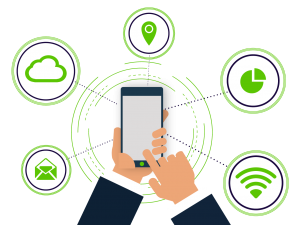
The beacon can have many purposes but the main one is to connect with your customers and provide more accurate information about anything related to your business!
By using a beacon in your business you could:
– Gather Check ins and improve google maps location!
– Show accurate times of visit and help costumers decide when to visit your business.
– Promote any discount code or special offer with people pass by your store and invite them in!
– Get more photos and stand out with photos of your products and venue from your costumers!
You might be a little scared of all the information that the beacon is gathering, but don’t worry, it doesn’t store any information and it’s not connected to any internet network.
The next time you’re walking around the mall keep your bluetooth on and you might be informed with very good discounts!

Browse by Category
- Social Media
- SEM
- SEO
- Google Ads
Digital Marketing
- Google Analytics
- Google Tag Manager
- Google Opimize
Digital Analytics

Optimise your website and marketing campaign performance with Ireland’s leading digital analytics agency
Sign up to our newsletterEnjoyed reading this article? Find more like it below…

Posted by
Hannah Magorrian
May 22nd 2024
Digital Analytics Insights
3 min read
A Guide to New Chart Types in Looker Studio
If we’re being honest, we all have our favourite charts in Looker Studio. It can be easy to stay in our visualisation comfort zone with bar charts, pie charts, and...


Posted by
Michael Wilson
Nov 16th 2020
4 min read
New Google Tag Manager Preview Mode (October 2020) – Tag Assistant
We like surprises, don't we? Whenever we spotted a surge of comments on forums and social media about a huge change to the Google Tag Manager interface recently, it definitely...

Posted by
Georgia Sloan
Jun 12th 2024
Digital Analytics Insights
3 min read
Adding Images as a Data Source in Looker Studio
Looker Studio offers a powerful way to visualise and analyse your data. But what if you want to go beyond numbers and charts and include images? Looker Studio allows you...
Leave a Reply