


Google Optimize – Google’s A/B, Multivariate & Redirect Testing Tool
Google recently released their new product, Google Optimize, their own tool which allows you to test variations of your site, see what works best for your visitors and in turn,...


Google recently released their new product, Google Optimize, their own tool which allows you to test variations of your site, see what works best for your visitors and in turn, deliver the most engaging experience for them and the best return for you. Win, win… right?
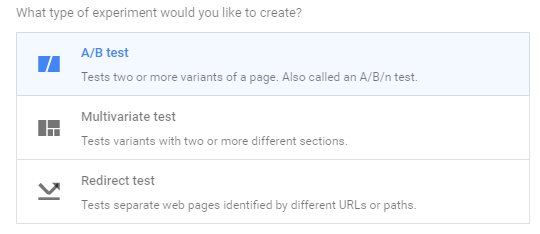
We’ve tested out the free version – you can run three different experiment types – A/B, Multivariate and Redirect – and as always, Google makes it as simple as possible to implement in each instance: there’s now an ‘Optimize’ tag option in Google Tag Manager.
We carried out a simple ‘redirect’ test to see which of two similar pages performs best for our visitors, and after leaving it for a few days, Optimize told us that the new version delivered 27% higher engagement and was 68% likely to beat the original.
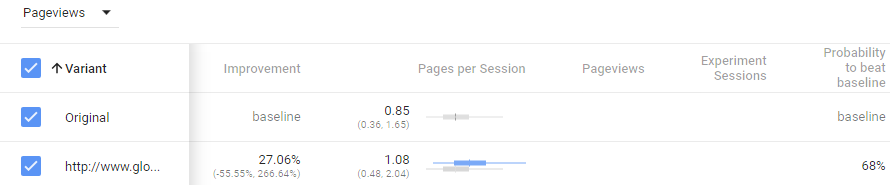
This was a very simple example but it shows how easy it is to carry out experiments to improve your on-site engagement – whether you’re a small business or a large organisation, you can use Optimize to carry out tests to suit the scale of your operations.
Optimize is currently still in beta but you can sign up for either the free version or 360 here.
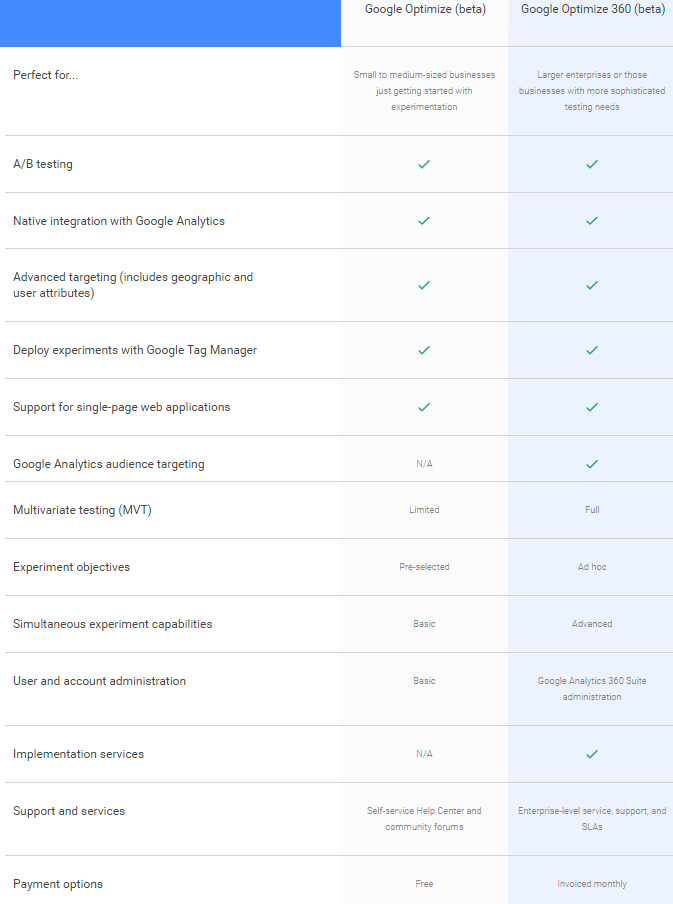
What’s the difference between the free version of Optimize and Optimize 360?
Have you tried Optimize yet? What did you think of it? If you’d like us to help you optimize your online presence, feel free to get in touch!
Browse by Category
- Social Media
- SEM
- SEO
- Google Ads
Digital Marketing
- Google Analytics
- Google Tag Manager
- Google Opimize
Digital Analytics

Optimise your website and marketing campaign performance with Ireland’s leading digital analytics agency
Sign up to our newsletterEnjoyed reading this article? Find more like it below…

Posted by
Cristian Mercado
Aug 10th 2018
Digital Analytics Insights
2 min read
It’s beacon, not bacon!
Have you ever heard of a Beacon? Well neither had we, but now we have and this is how it looks! Google decided to send us a sample beacon to...


Posted by
Michael Wilson
May 30th 2024
Digital Analytics Insights
4 min read
How To: Collect GCLID from Google Ads in GA4 via GTM
If you've been wondering how to store the GCLID parameter from your user's Google Ads clicks in GA4, this is the guide for you. If you've found your way here...
Posted by
Michael Wilson
Mar 28th 2019
3 min read
What are Trigger Groups in Google Tag Manager?
You might have noticed a new addition to the Google Tag Manager interface this week, as Google released a new trigger type - Trigger Groups. Wondering what a Trigger Group...
Leave a Reply